
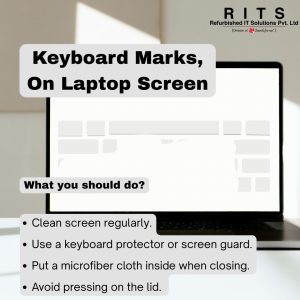
Keyboard marks on a laptop screen are a common problem, especially if you close your laptop lid tightly or carry it in a bag. These marks happen when the keys touch the screen and leave smudges or even scratches over time.
Here’s what you should do to avoid or fix it:
✅ 1. Clean the screen regularly:
Use a soft microfiber cloth to wipe away marks. For stubborn spots, lightly dampen the cloth with a screen-safe cleaner.
✅ 2. Use a keyboard protector or screen guard:
A thin silicone keyboard cover can reduce direct contact between keys and screen. A good quality screen guard also helps prevent scratches.
✅ 3. Put a microfiber cloth inside when closing:
Place a thin, soft cloth (like a screen wipe) between the keyboard and the screen before closing the lid.
✅ 4. Avoid pressing on the lid:
Don’t stack heavy things on your closed laptop. Too much pressure makes the keys press harder into the screen.
✅ 5. Check hinge tightness:
Loose hinges can cause the screen to wobble and touch the keys more easily. Get them tightened if needed.
✅ 6. Store your laptop in a good sleeve or bag:
Use a padded bag to reduce pressure on the lid while carrying.
If the screen is already scratched, you can’t fully remove scratches, but a screen protector will hide minor ones and prevent new damage.